Bundle products in LitCommerce
This article introduces bundle products and how LitCommerce handles them.
What is a bundle product?
A bundle product combines multiple items into one purchasable product, usually available at a discounted or promotional price. For example, a tableware bundle can contain four plates and three mugs.
Bundle products help improve conversion rates, simplify purchasing, streamline inventory management, and overall optimize sales performance.
Handling bundle products in LitCommerce
[!INFO] LitCommerce only supports bundle products created via Shopify Bundles. Refer to this article for more details about the app.
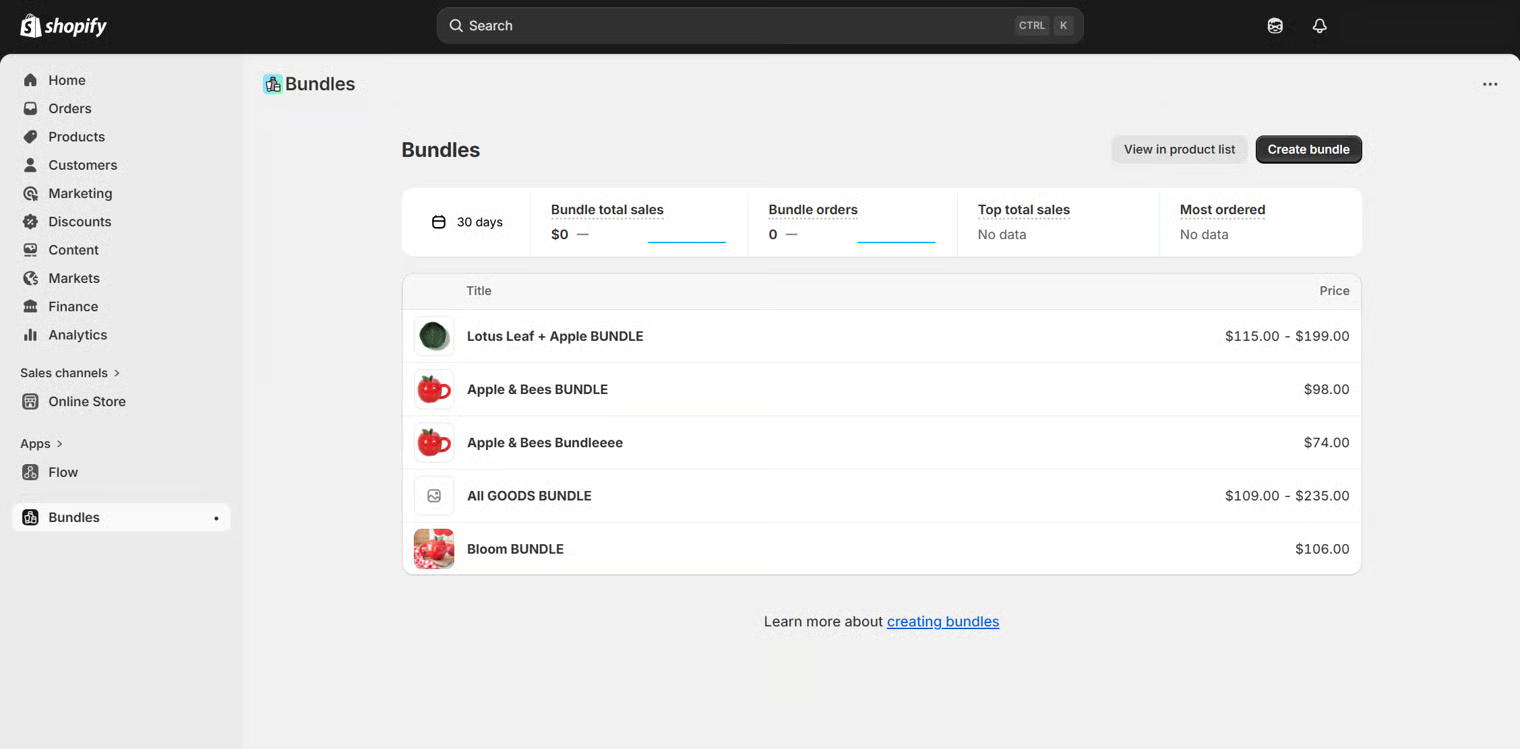
During the bundle product creation process, note the following limitations of the Shopify Bundles app:
Component limits:
- Fixed bundles: Up to 30 components.
- Dynamic bundles: Up to 150 components.
- Up to 2000 units per component.
Options and variants:
- Maximum of 3 options and 100 variants total per bundle.
Product processing
Once the bundle products are created, LitCommerce can import them to the All Products tab and mark them with a Bundle tag.
[!INFO] Bundles that contain only simple products will be imported to LitCommerce in the simple format, while the ones that include at least one variant product will be imported as variants.
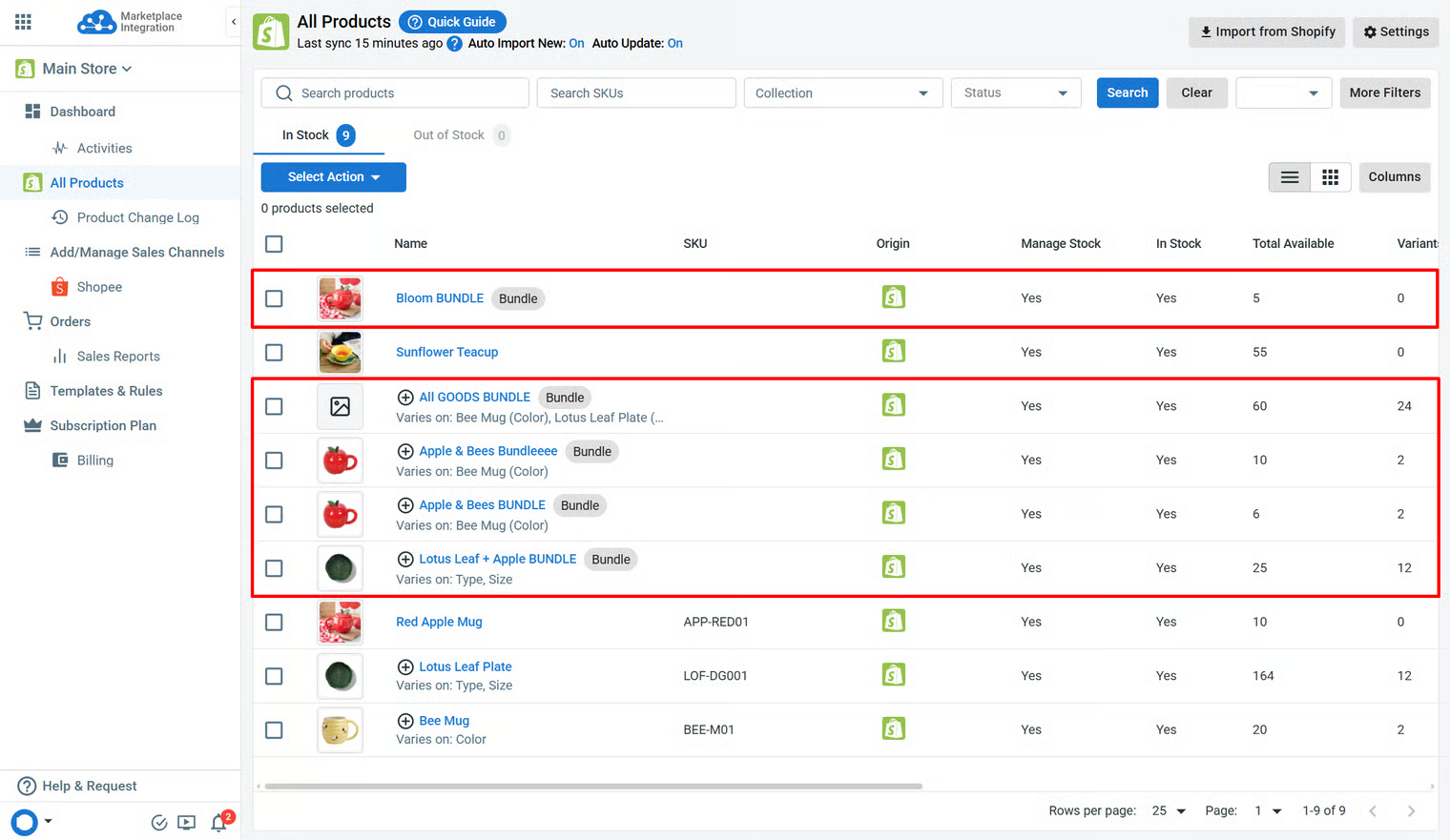
If you would like to link these bundle products to the corresponding channel listings, ensure that they have the appropriate product format and that the listings are not already linked to other Main Store products.
In addition, you can list bundle products from the All Products tab to the channels using LitCommerce.
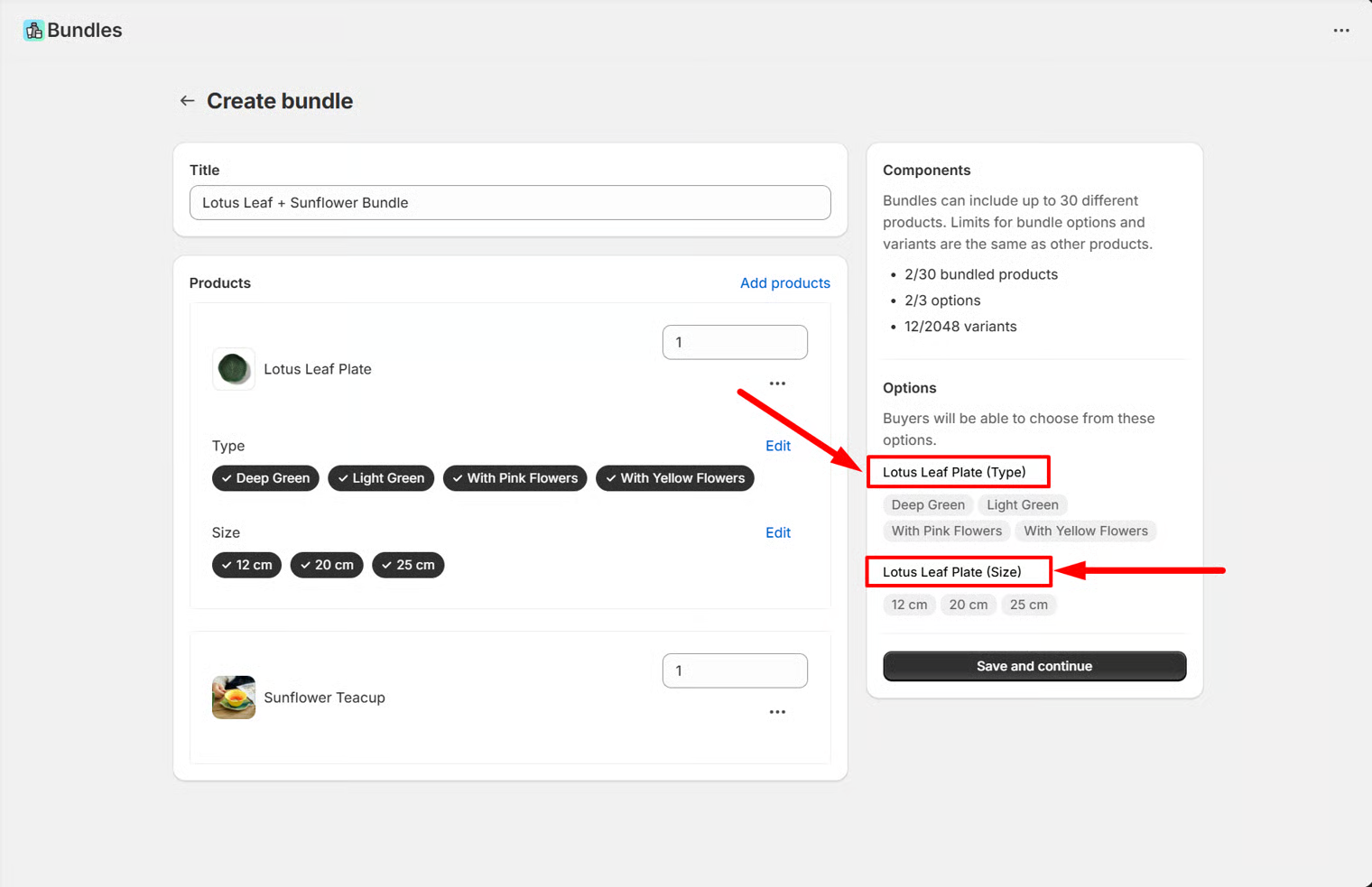
[!INFO] Most channels limit variant attribute names to 30–50 characters.
If your bundle product contains variants, you may want to make sure that their Option Names stay within these limits, as they will be used as variant attribute names during publishing.
Inventory and order processing
LitCommerce can sync the correct bundle products’ inventory from Shopify to the tool.
When an order is placed on a sales channel, and LitCommerce detects that the linked Main Store product is a bundle, the order will:
-
Be imported into the LitCommerce Orders section and processed as part of the normal workflow.
-
Be imported into the Shopify Main Store as an unlinked order (products will not be displayed in the order details).
-
Have its inventory deducted directly from the original products in Shopify based on the quantity configuration set in Shopify Bundles.
-
Not have its order status updated when changes are made to the corresponding order on the sales channel.
If you have any questions, let us know via the Chat Box in the bottom-right corner of our Help Center.
← How to connect Shopify as the Main Store Shopify Multi Locations Setup →