Feed Actions: Maximum length
LitCommerce Feed Management offers multiple rules when setting up your feed, enabling you to locate, modify, and optimize your product data for the target platform.
This article introduces you to the “Maximum length” action.
Set up and apply
For more details on how to set up and apply the rule, refer HERE.
How it works
The “Maximum length” action appears under the Then and And-statements. It allows you to limit the number of characters in a product attribute.
[!INFO] The character limit counts spaces.
You can trim the text when it reaches the set limit. There are two available options:
-
Trim on words: Shorten text only at full word boundaries.
-
Trim directly: Shorten text immediately at the exact character limit, without checking for word boundaries.
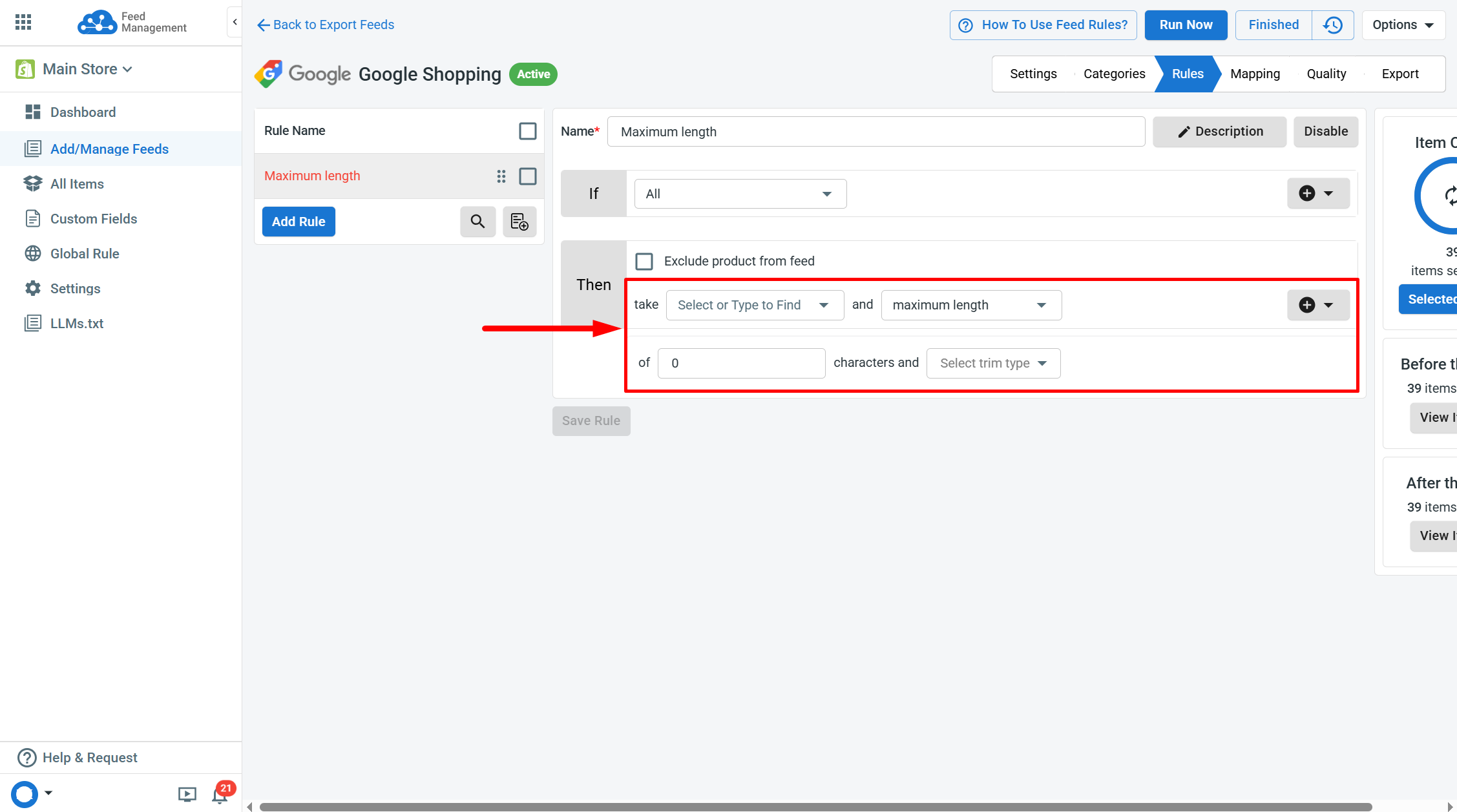
[!INFO] If no trim option is selected, LitCommerce will use
Trim on wordsas the default setting.
This rule is ideal for ensuring your product data fits within the platform’s character limits.
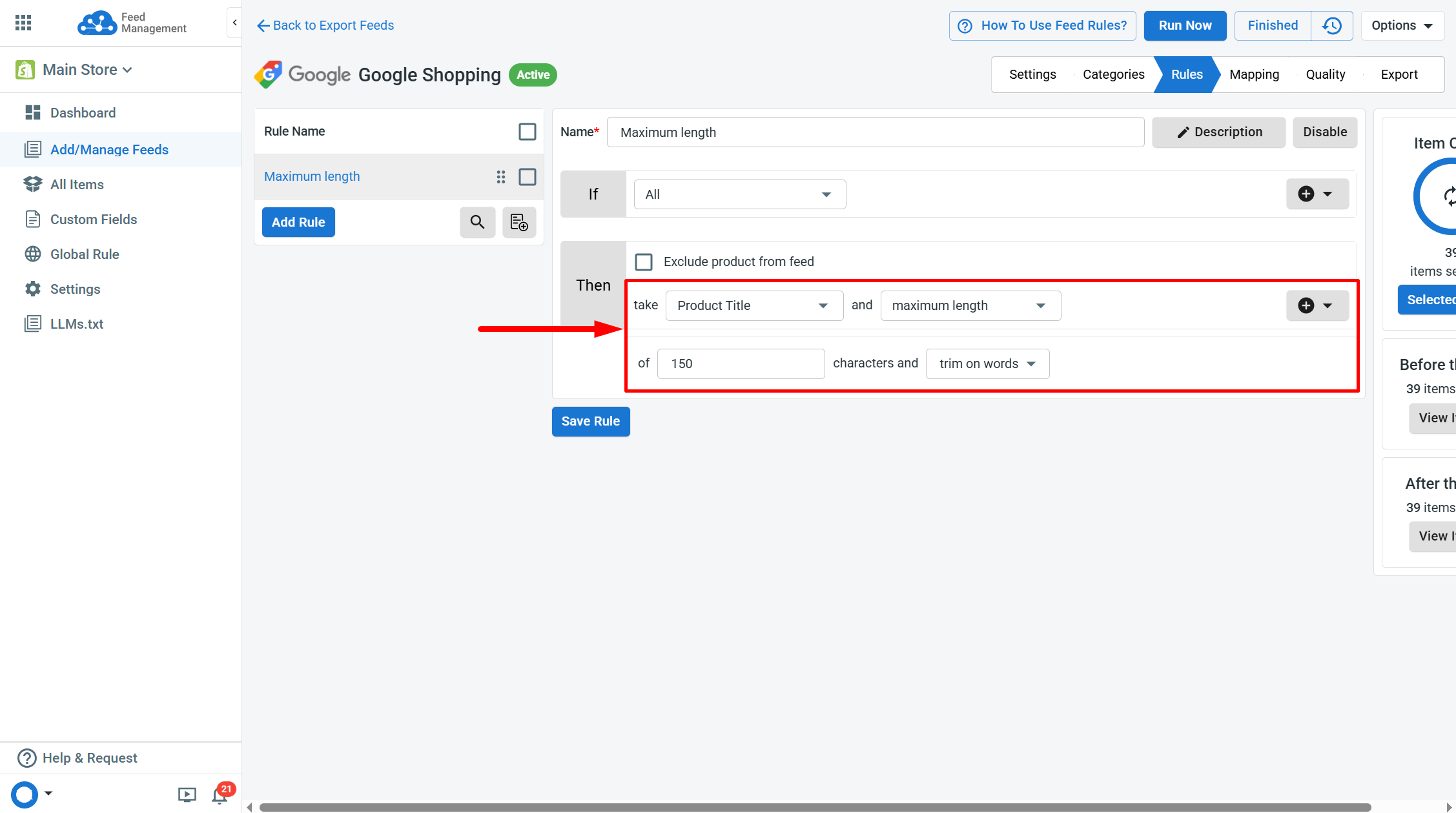
Example: Google Shopping has a 150-character limit for product titles. You can use this action to prevent your titles from exceeding this limit.
Take “Product Title” and “maximum length” - of “150” characters and “trim on words”.
-
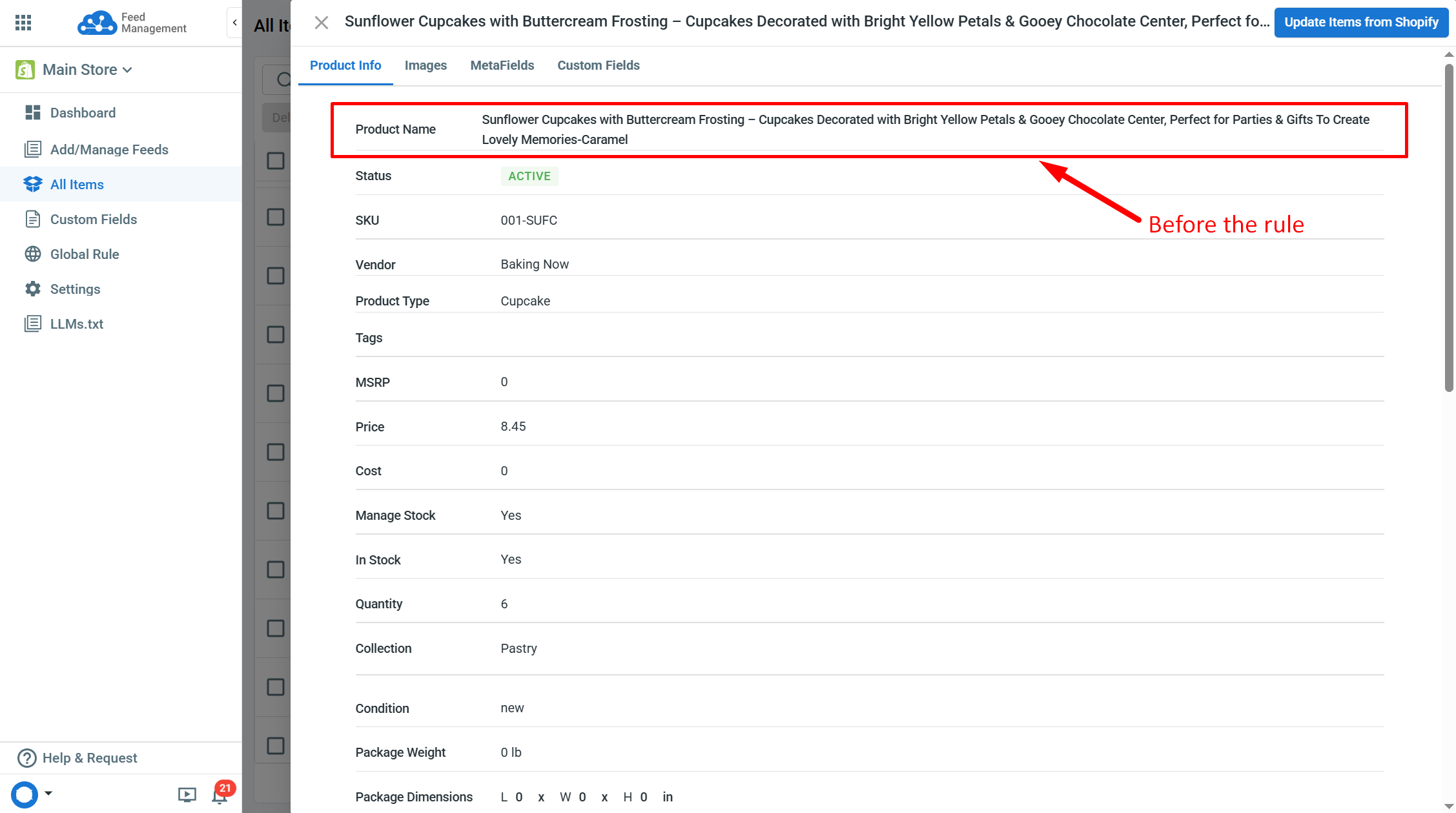
Before - Title (165 characters): “Sunflower Cupcakes with Buttercream Frosting – Cupcakes Decorated with Bright Yellow Petals & Chocolate Center, Perfect for Parties & Gifts To Create Lovely Memories-Caramel”.
-
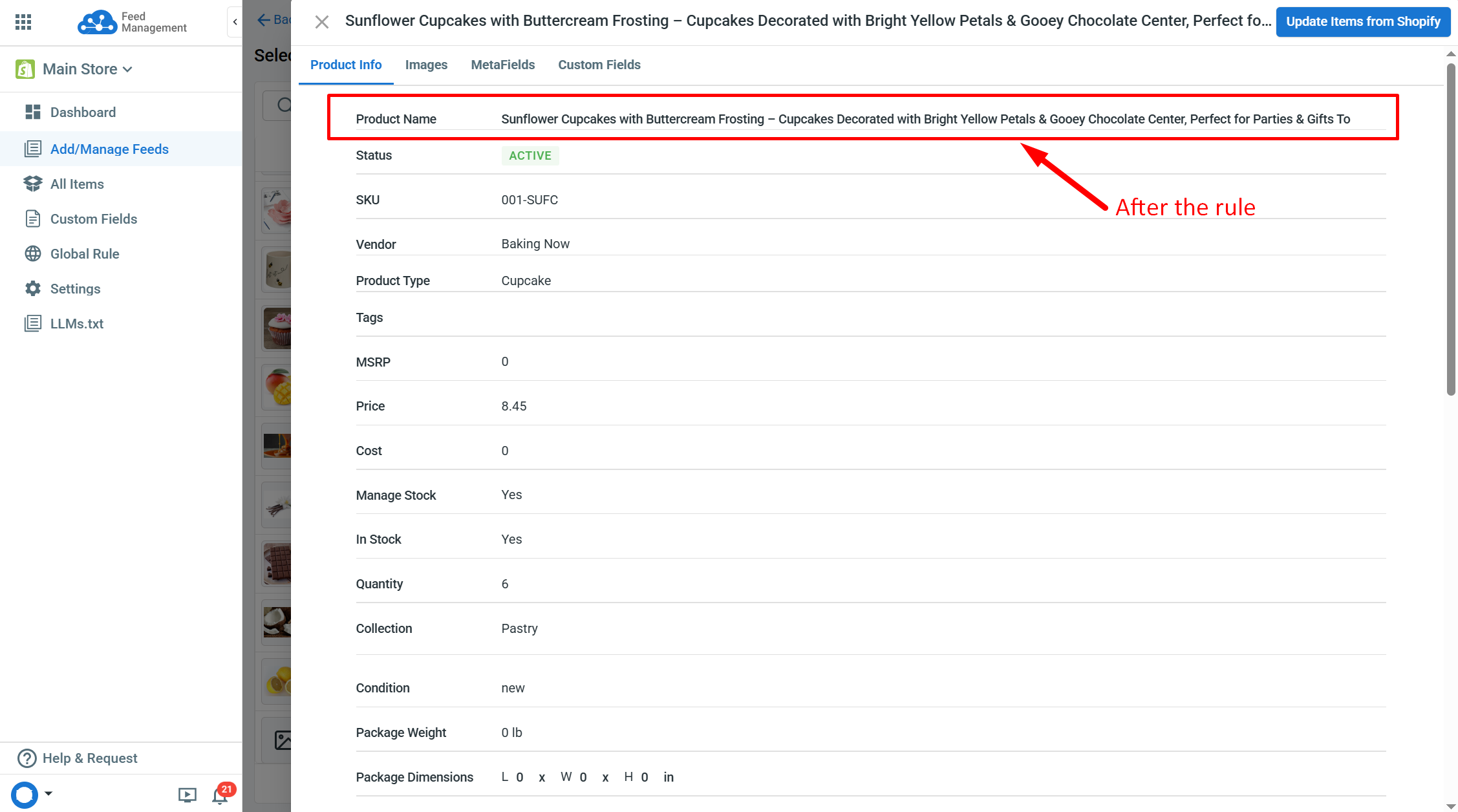
After trim - Title (148 characters): “Sunflower Cupcakes with Buttercream Frosting – Cupcakes Decorated with Bright Yellow Petals & Gooey Chocolate Center, Perfect for Parties & Gifts To”.
- In case “trim directly” is selected, after trim - Title (150 characters): Sunflower Cupcakes with Buttercream Frosting – Cupcakes Decorated with Bright Yellow Petals & Chocolate Center, Perfect for Parties & Gifts To C“.
If you have any questions, let us know via the Chat Box in the bottom-right corner of our Help Center.